WordPress Site
Full WordPress management from the desktop. Manage content, media, files, plugins, themes, and users.
Plugins
Plugin management: activate, deactivate, update, and search
The Plugins view gives you a dedicated interface for managing WordPress plugins. See all installed plugins at a glance, check for updates, and perform actions without leaving the app.
Features
- Three view modes: grid, detailed list, and table
- Status filters: All, Active, Inactive, and Updates
- Search plugins by name
- Update and deactivate plugins with one click
- View plugin details including version, description, author, and website
- Bulk select plugins with checkboxes
Grid View
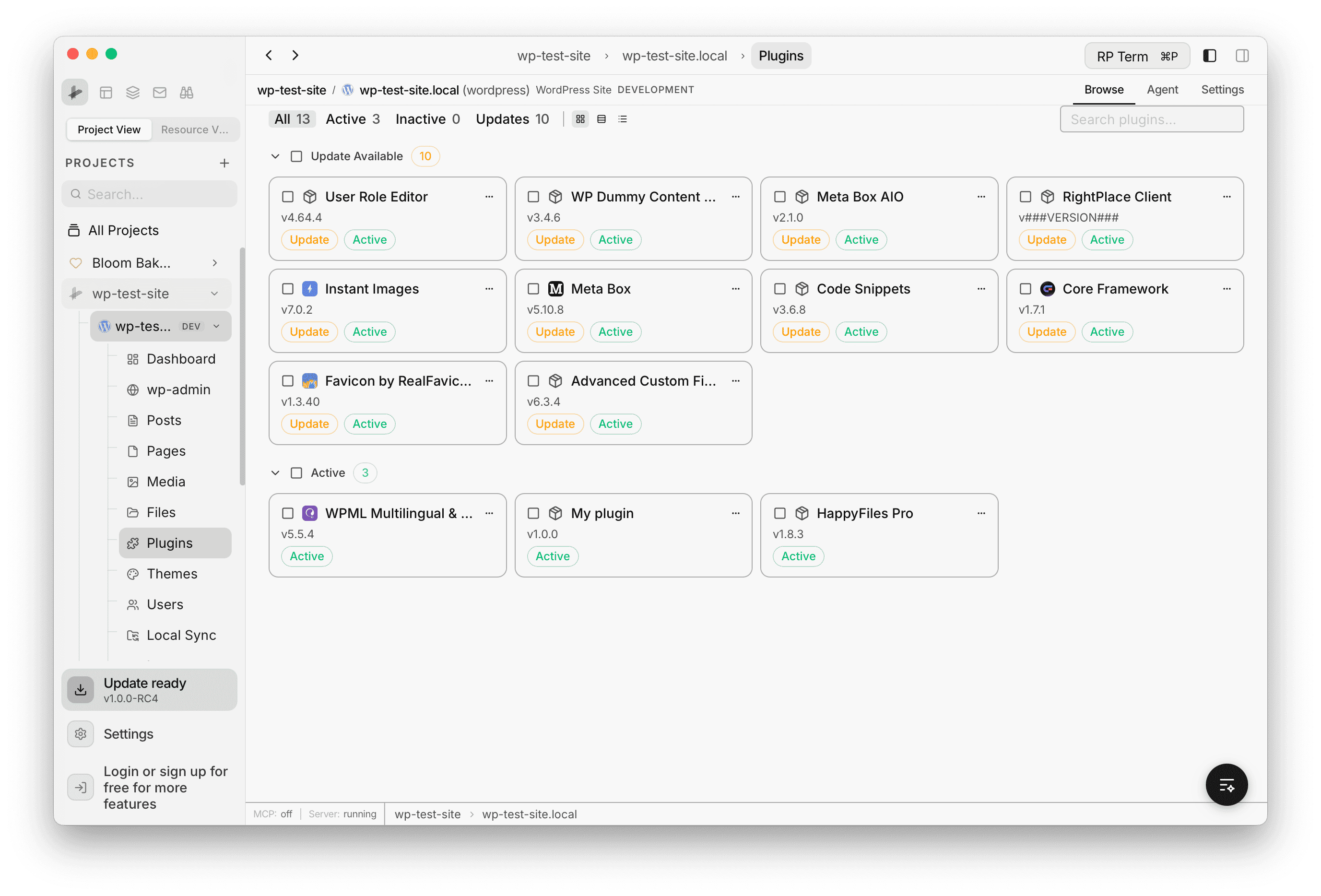
The grid view shows plugins as compact cards with the plugin name, version, and status badges. Plugins are grouped into collapsible sections like Update Available and Active. Each card has a menu button for additional actions.
Detailed List View
The detailed list view shows each plugin in a row with its icon, name, version, status badges, description, author, and website link. Update and Deactivate buttons are available inline on each row.
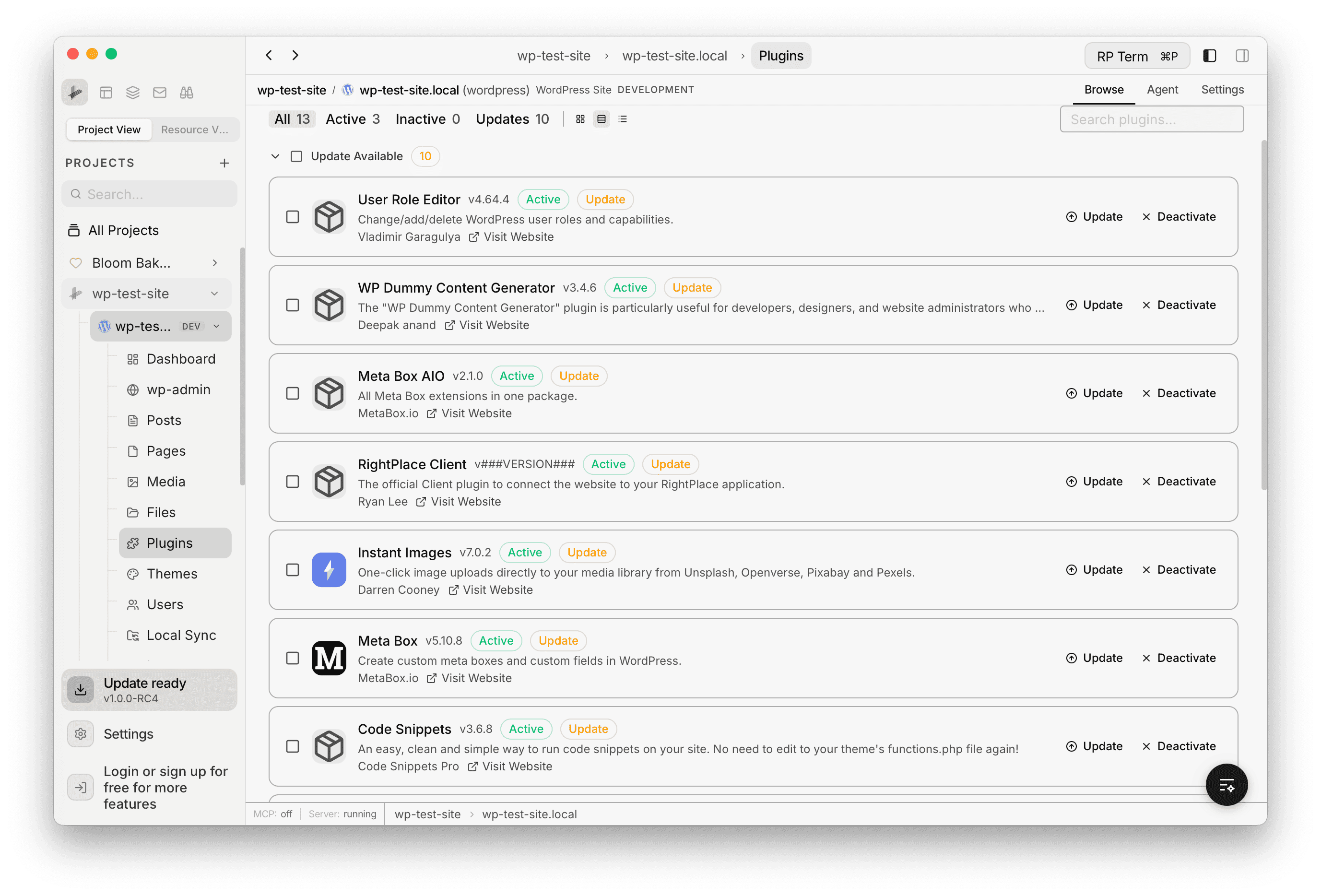
Table View
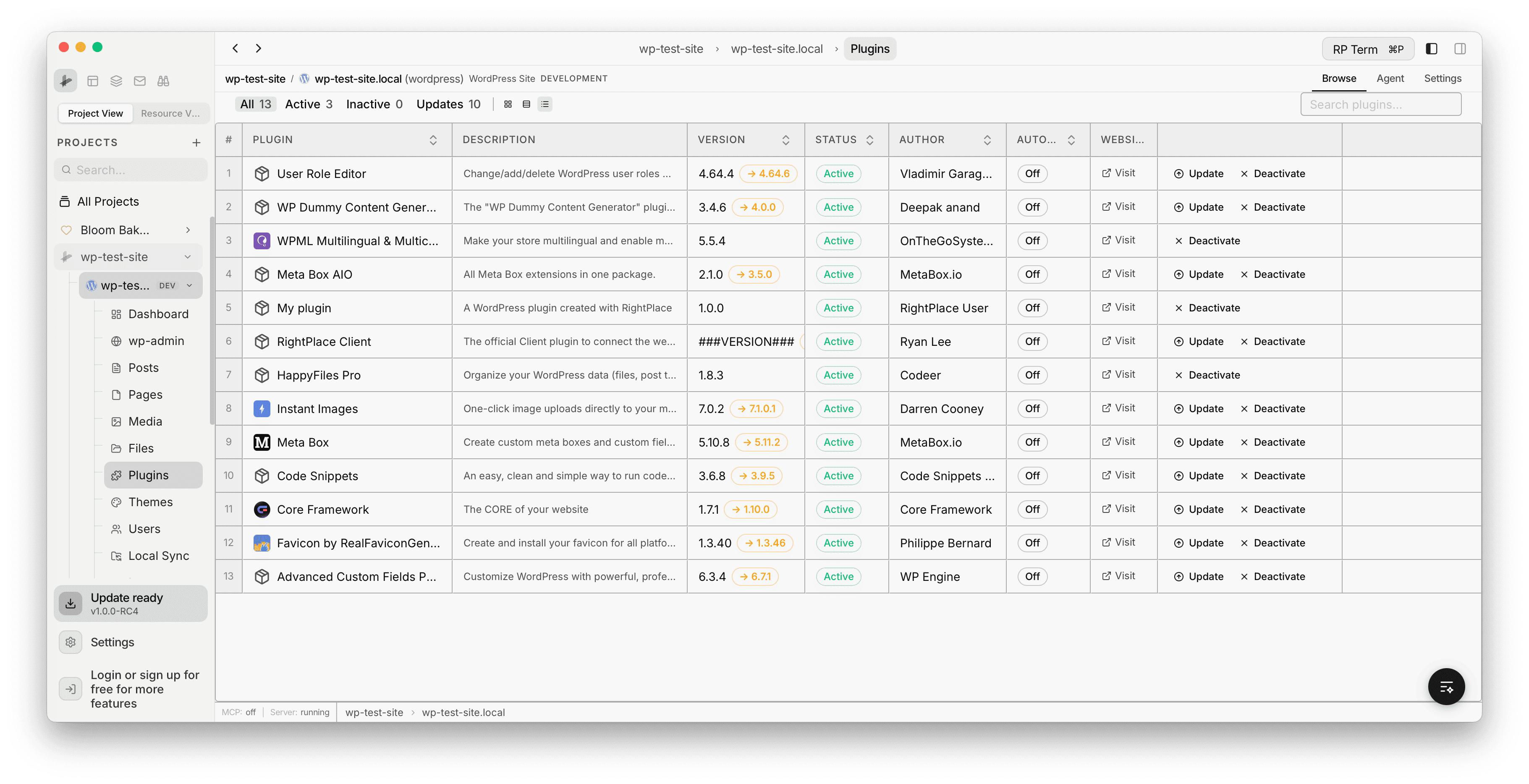
The table view displays plugins in a sortable data table with columns for Plugin, Description, Version, Status, Author, Auto-update, and Website. The version column shows the current version and the available update version side by side. Each row has inline Update, Visit, and Deactivate actions.
Search
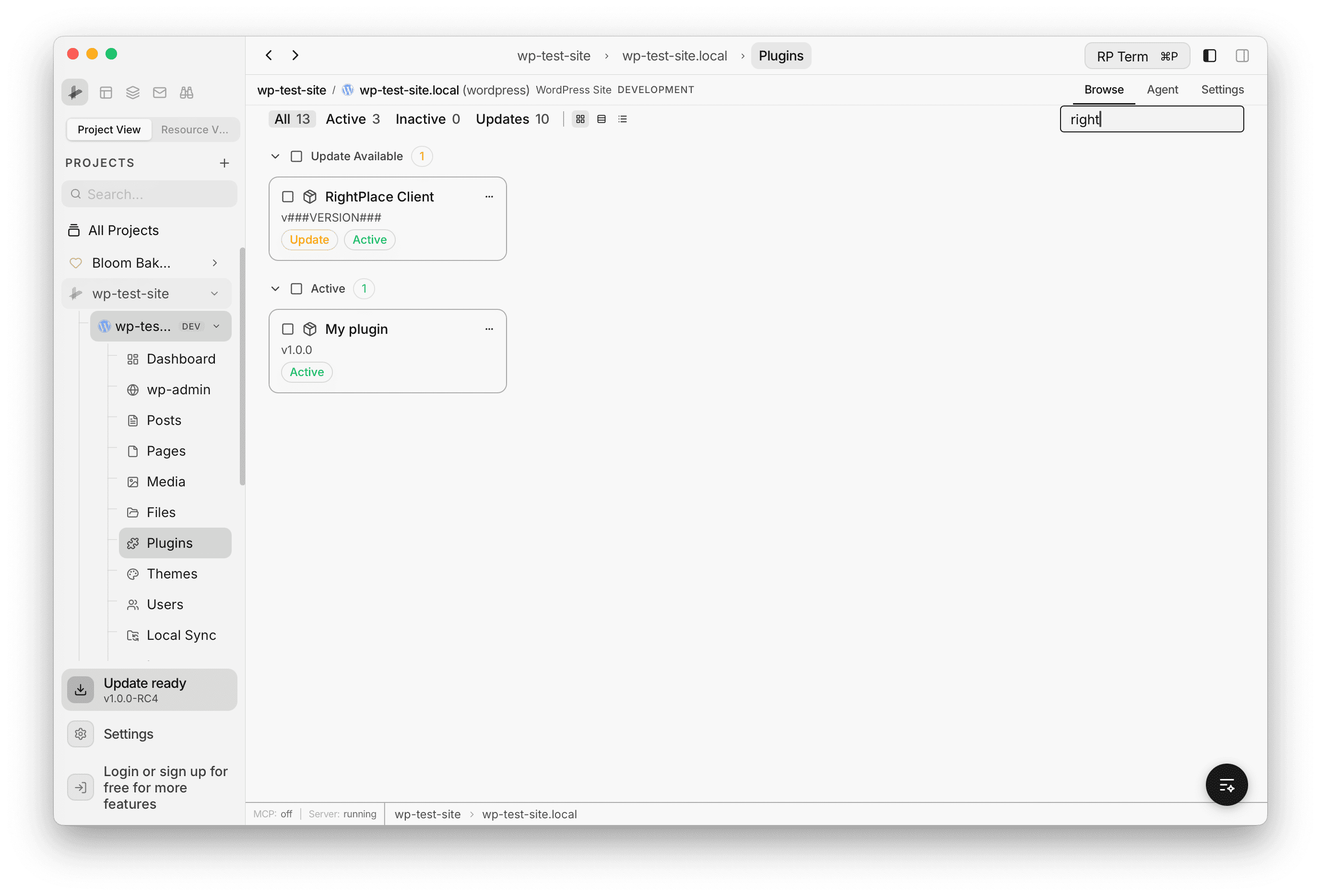
Use the search field in the top right to filter plugins by name. The results update instantly across all view modes.