Catalog
Products, variants, collections
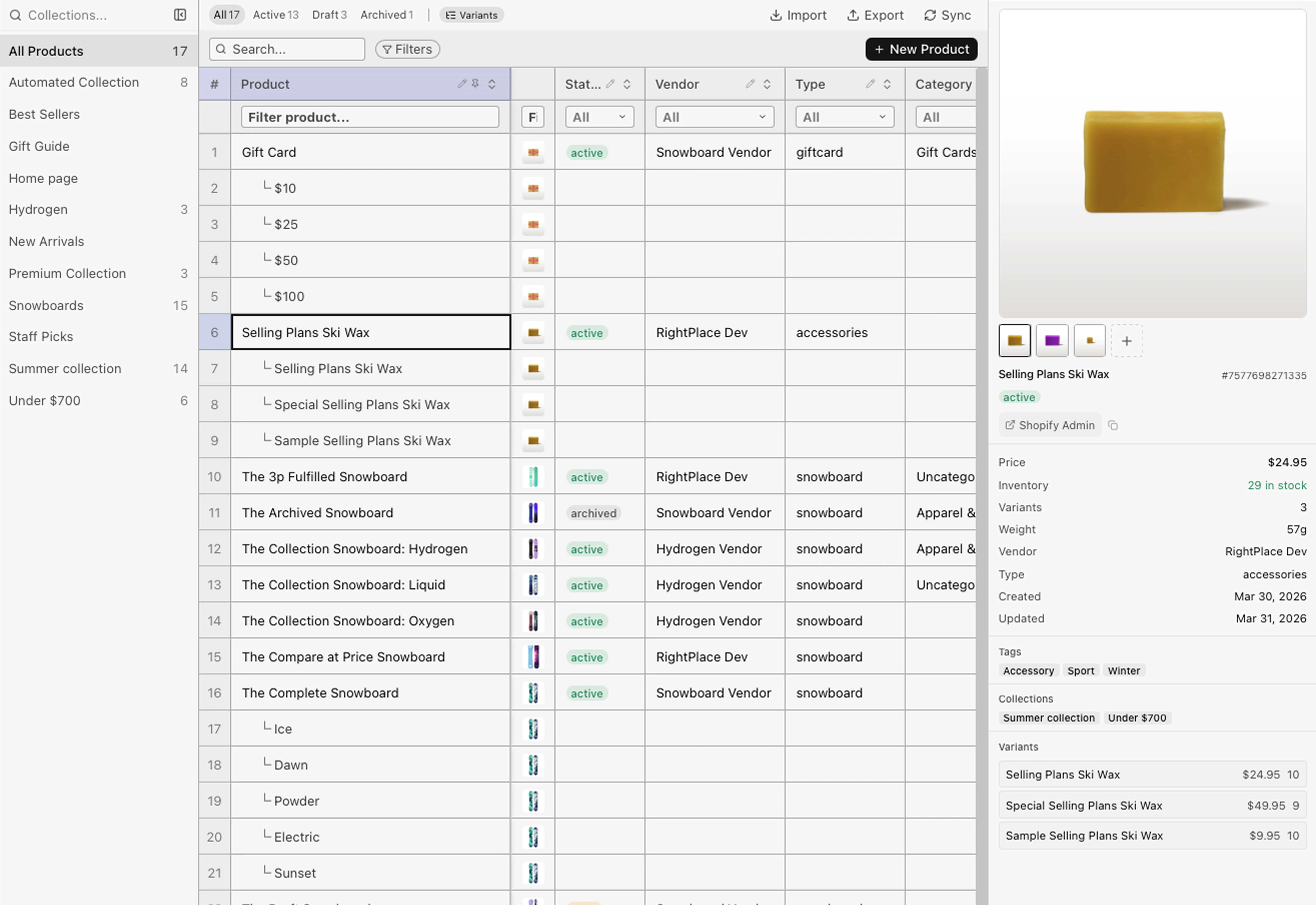
A SmartTable with collections rail, variant rows, and inline editing. Changes batch locally before they reach Shopify.
Shopify Applet
Launch in June 2026Connect over OAuth and operate products, inventory, orders, and analytics from spreadsheet-fast tables, across every store you manage. And when you're ready, let AI handle the repetitive work.
What you can manage
Catalog, inventory, orders, customers, and analytics, across every store you manage. A real UI your team operates, with optional AI for the busywork.
Catalog
A SmartTable with collections rail, variant rows, and inline editing. Changes batch locally before they reach Shopify.
Inventory
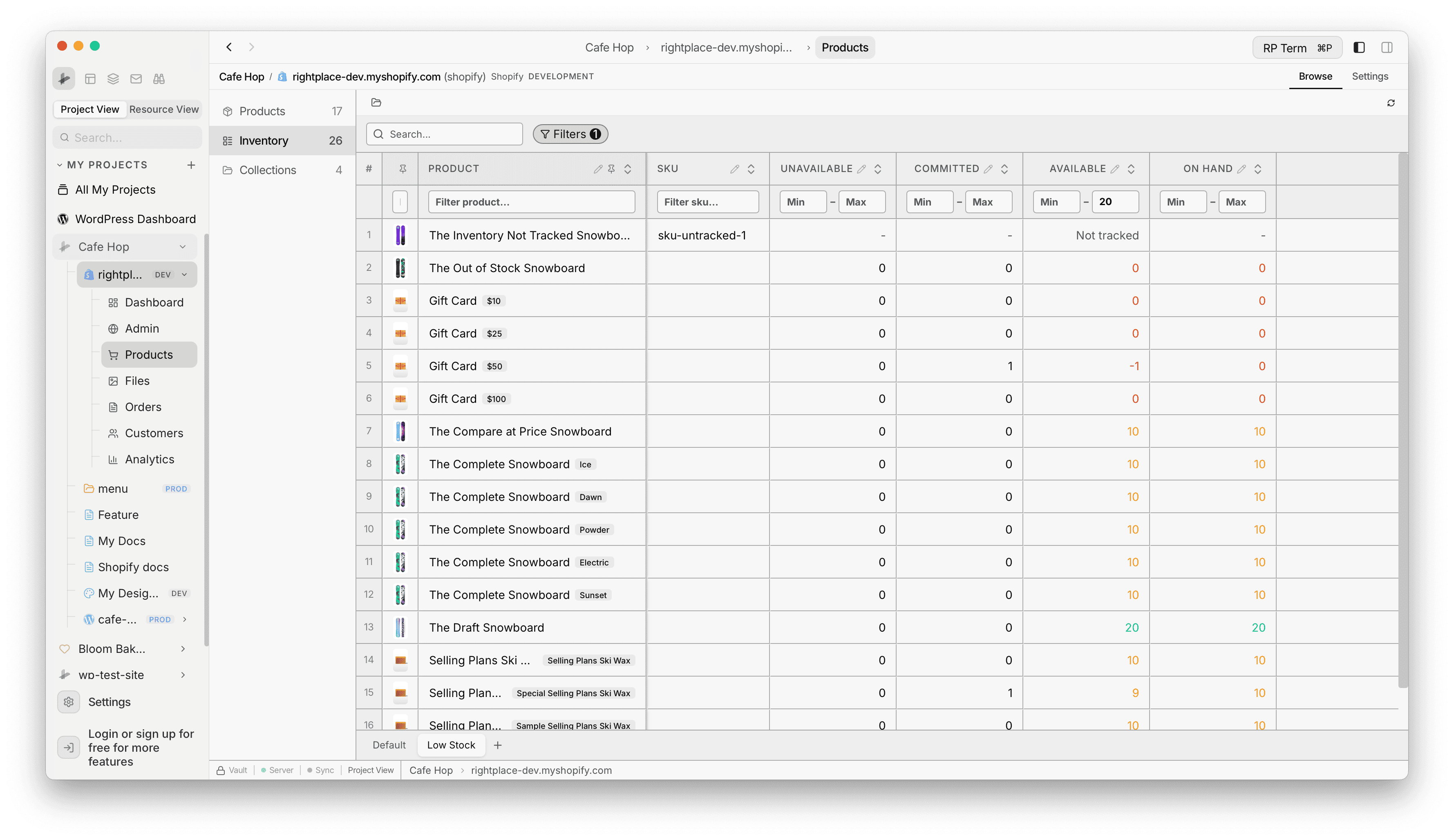
SKU-level stock grid by location with range filters, bulk quantity edits, and saved low-stock views.
Customers and orders
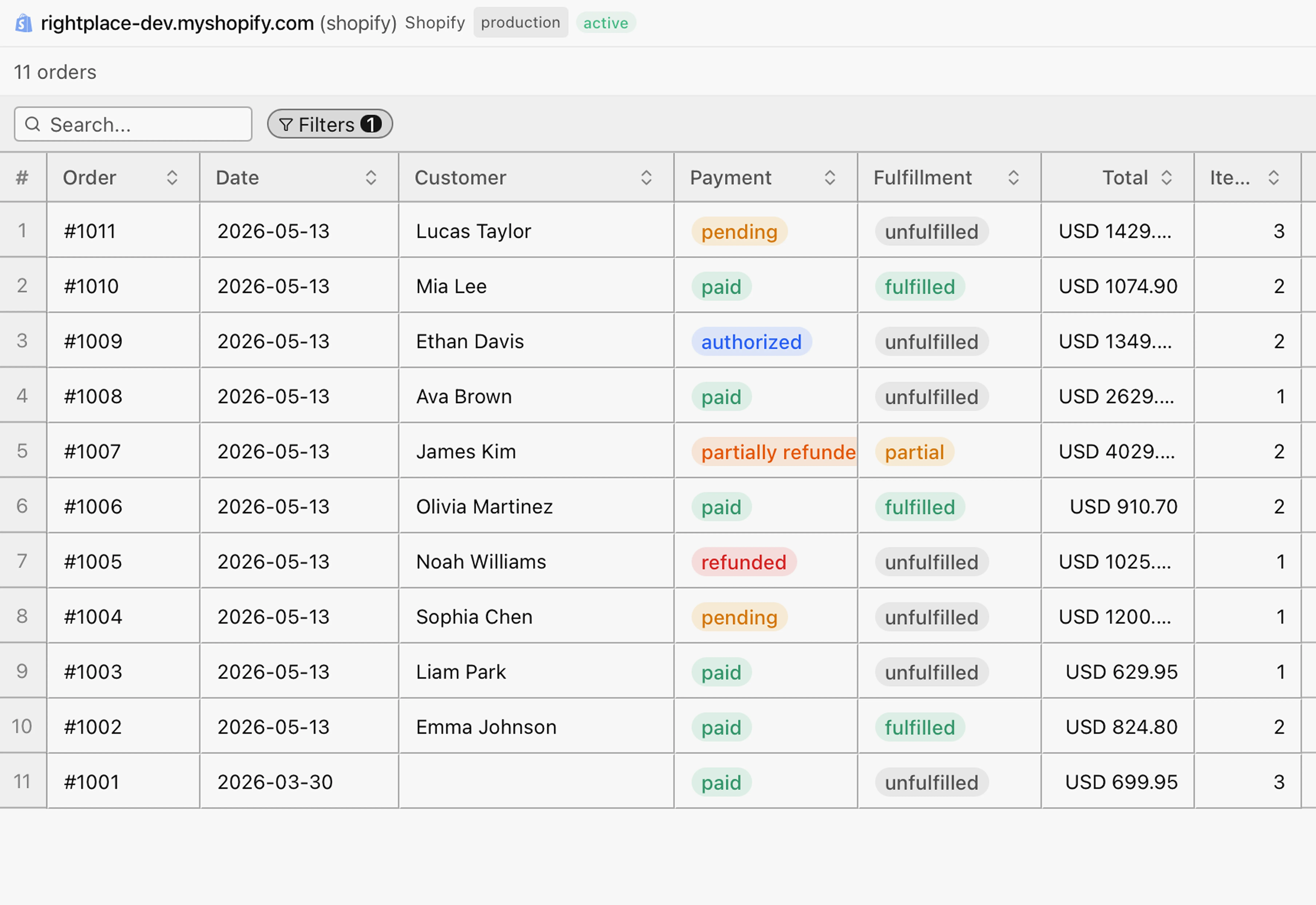
Orders with status filters, customers with lifetime spend, and smart collections with condition rules.
Insight
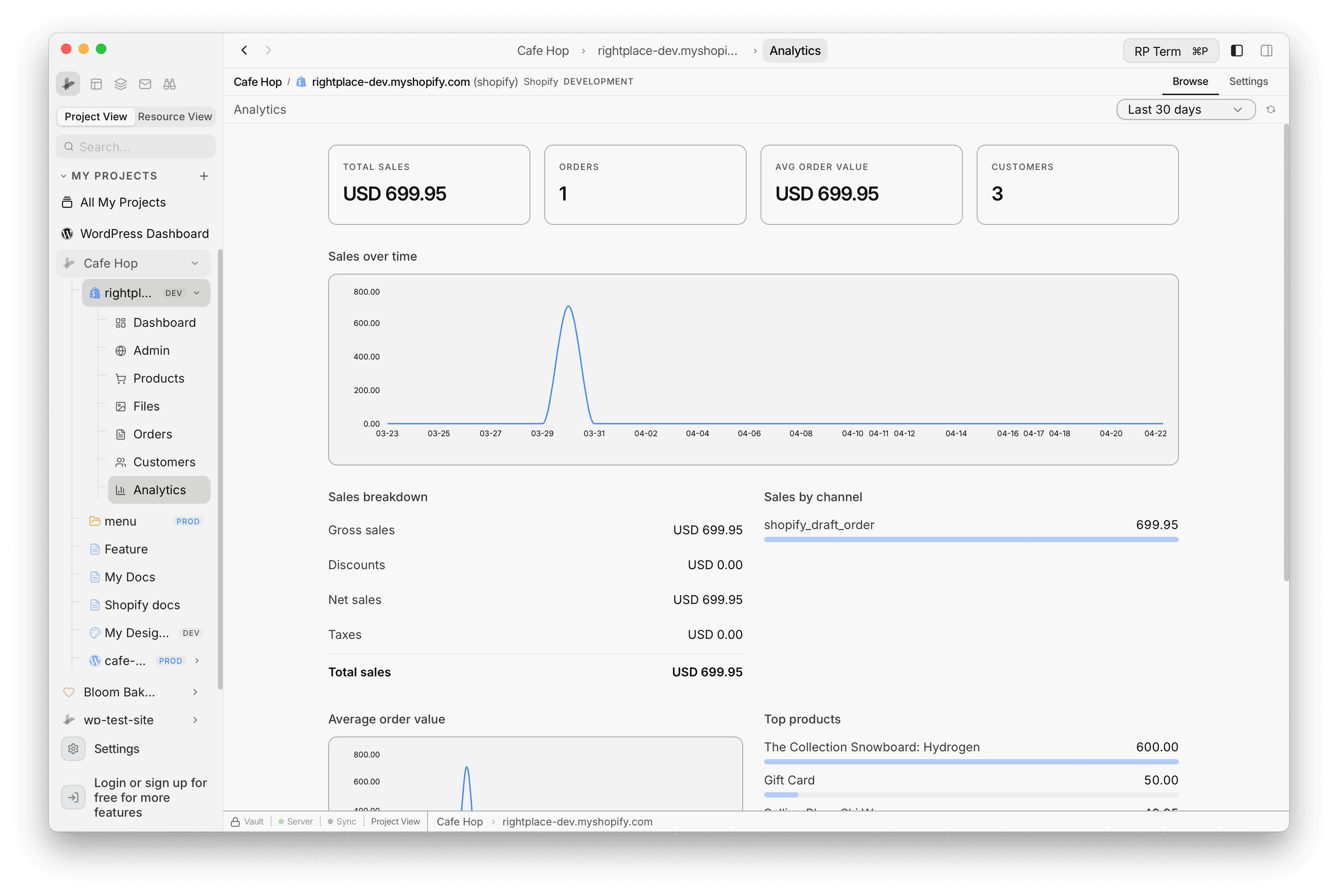
KPI dashboard with sales, AOV, and trends over any date range. Full embedded admin and media library.
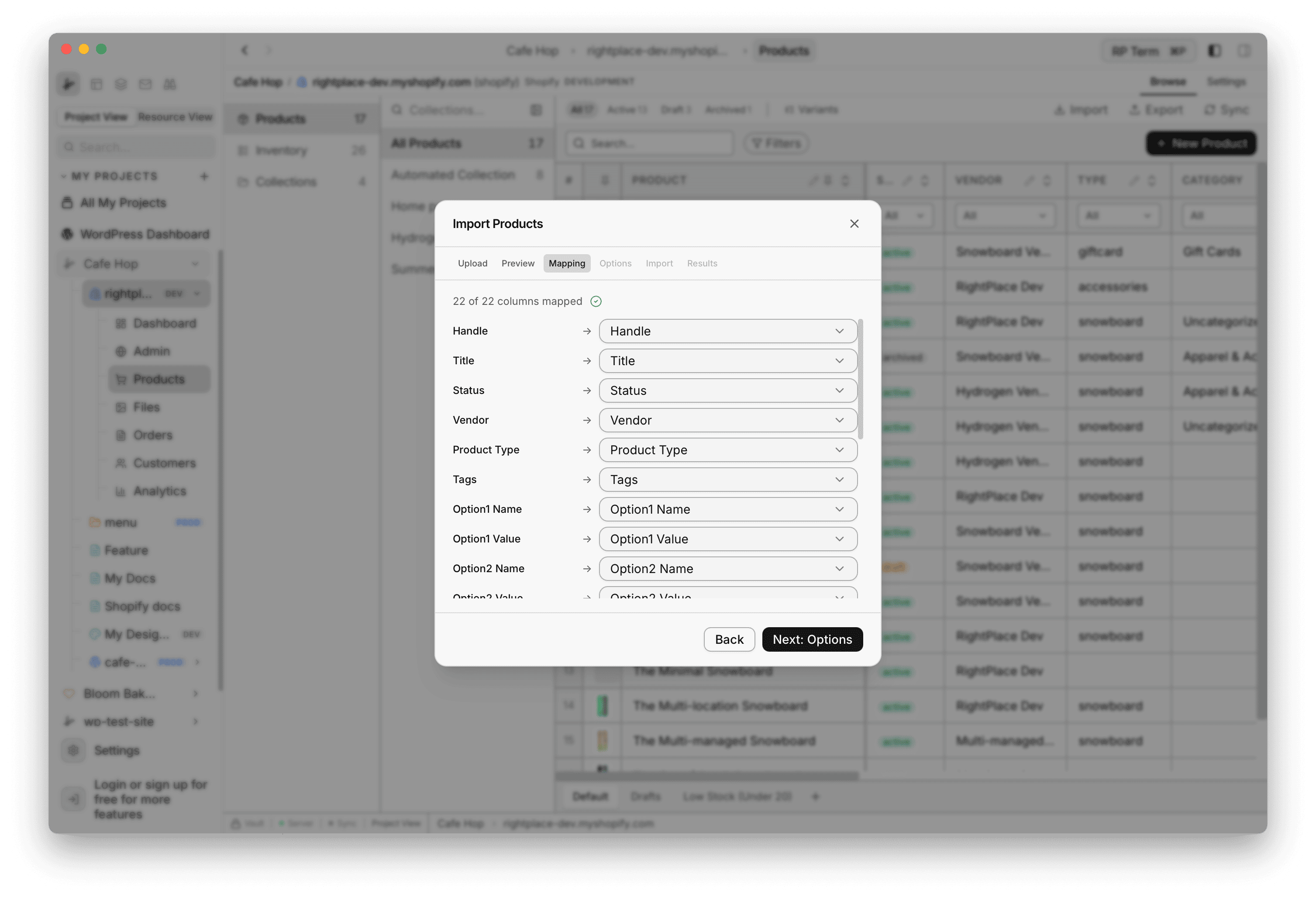
Import and export
CSV import with column mapping and preview, export any view, all without the Shopify admin.
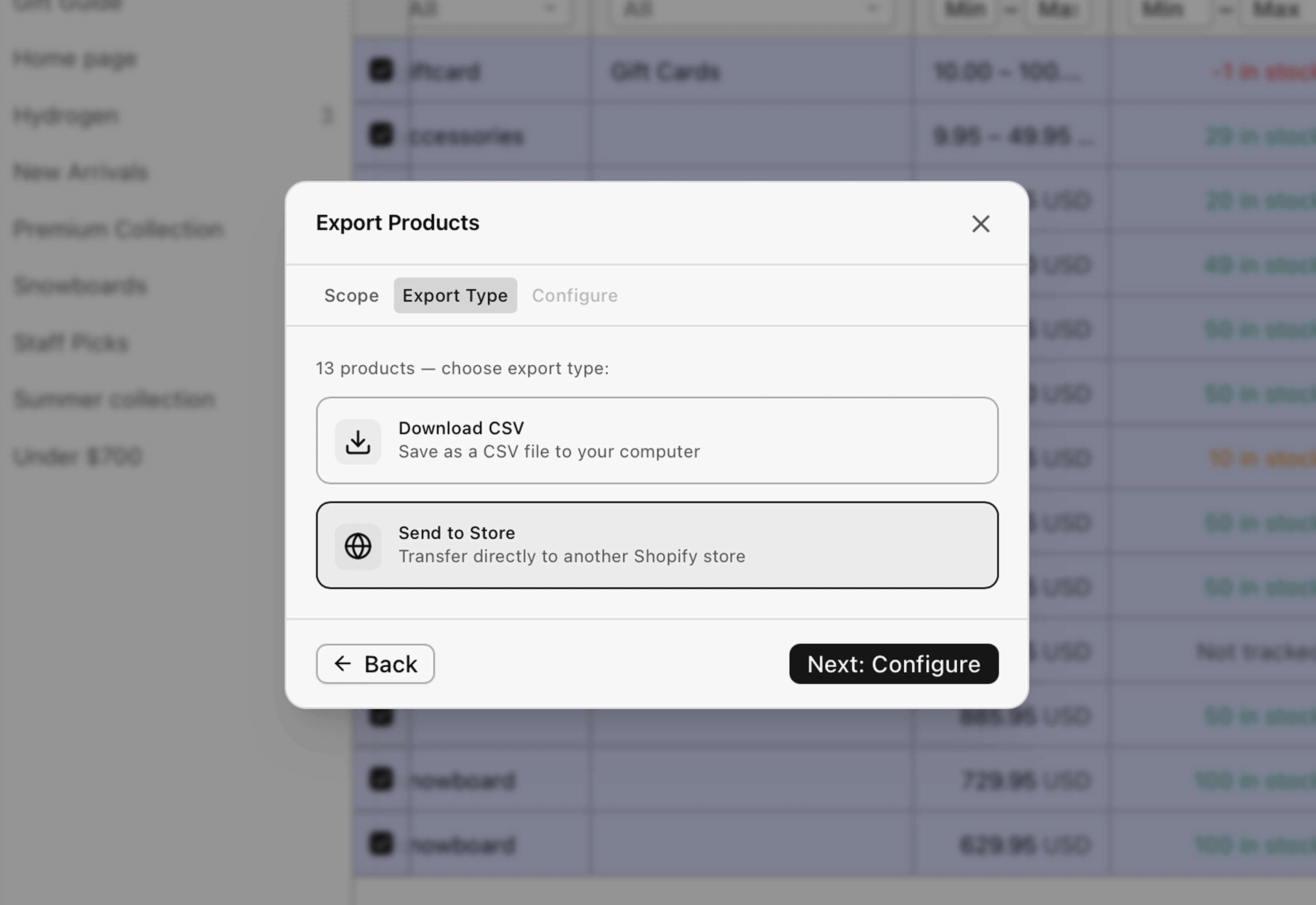
At scale
Set status, adjust prices, or merge tags across hundreds of products. Send to Store copies between connected shops.
Agent tools and MCP
Every action your team takes by hand is also a tool AI can run, so you can automate the repetitive work or chain steps into a workflow. Optional, and on your terms.
 RightPlace is crafted by the WiredWP team.Discover the team who built this
Compose your stack
The Shopify applet is one building block. Wire it to spreadsheets, docs, email, and agents, and shape a store operation that fits exactly how you run your business.
Agents at work
An agent discovers the tools it needs and runs them top to bottom. Each step is one applet tool, on a schedule or from a chat.
Paid orders get fulfilled automatically. No one watches the queue.
shopify-orders.searchOrdersSearch orders by text plus status and limit filters.
shopify-orders.getOrderFetch one order by id.
shopify-orders.fulfillOrderCreate a fulfillment across one or more fulfillment orders.
An agent checks velocity and stock, then flags products before they sell out.
shopify-analytics.queryRun a Shopify analytics query.
shopify-products.listProductsList Shopify products.
shopify-products.syncInventorySync product inventory levels.
Analytics, orders, and top customers pulled into a digest that writes itself every Monday.
shopify-analytics.queryRun a Shopify analytics query.
shopify-orders.listOrdersList Shopify orders.
shopify-customers.listCustomersList Shopify customers.
FAQ
Add the Shopify applet, enter your store URL, complete OAuth once. Add another applet for each store you run.
Changes batch locally until you Save. You always review before anything goes live.
Yes. Every column is sortable, filterable, and inline-editable. Toggle variant mode to edit variant rows in place.
Select a batch and set status, adjust prices, or merge tags. Everything commits to Shopify in the background.
Yes. CSV import with mapping, export any view, or Send to Store to push products to another connected shop.
Yes. Every action is a permissioned tool agents discover and run, the same actions your team uses in the UI.
Get started
Operate every store by hand, and hand the repetitive work to AI when you're ready, on the same permissioned surface.
READY
Connect your Shopify store.
RightPlace is crafted by the WiredWP team.Discover the team who built this